


hosted·ai was created for service provider GPUaaS. It is multi-tenant by design. Instead of just selling GPU on a card-by-card basis (one card per user) or a bare metal basis (one GPU server per user), you can assign physical GPUs to virtual GPU pools, and sell the resources of the pool to multiple tenants at once.
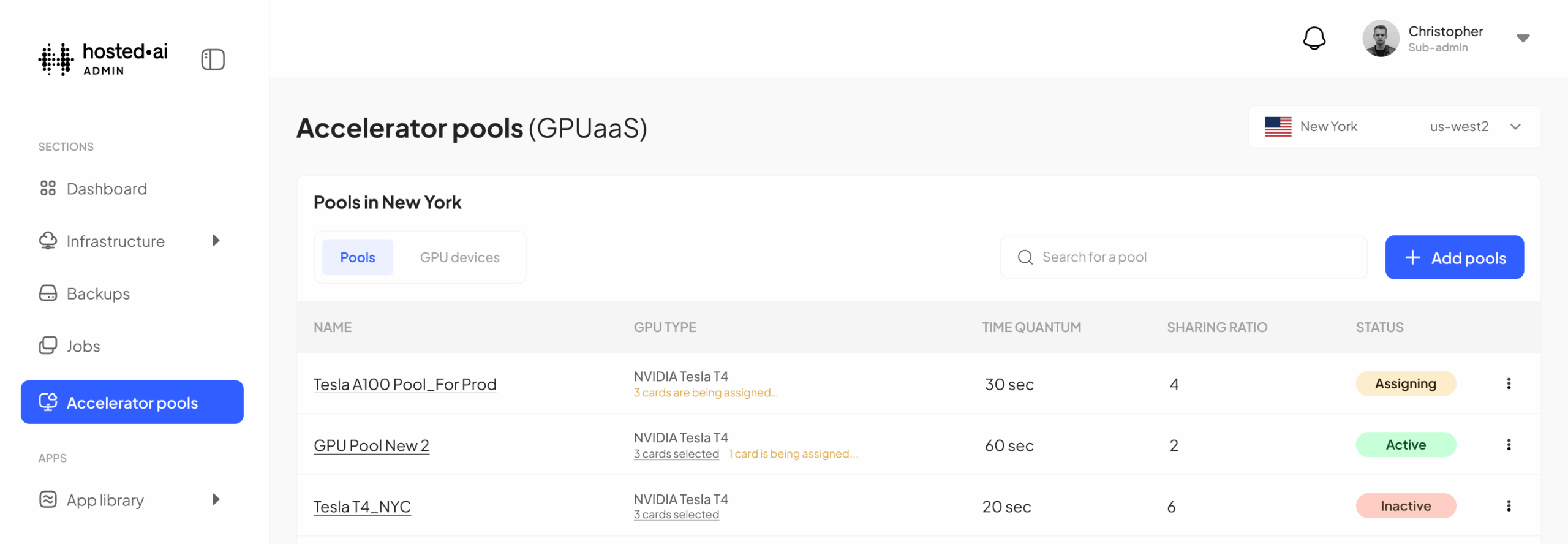
In the 2.0.1 release of hosted·ai we updated the hosted·ai task scheduler, which is the part of the platform that handles the crucial task of assigning GPU resources to user workloads. Let’s take a look at the task scheduler and how it works – but first, some basics…
The basics: how hosted·ai handles multi-tenant GPU virtualization
The GPU pooling concept is the foundation of our GPU cloud multi-tenancy. Through the hosted·ai admin panel, you create your regions, add your servers, and automatically detect the GPUs attached to those servers. Then you assign those GPUs to virtual GPU pools.
You can create private pools for the exclusive use of a single tenant – the GPUaaS equivalent of virtual private cloud. You can create GPU pools that are shared by multiple tenants – the GPUaaS equivalent of public cloud.
(with hosted·ai you can also sell GPU cards using traditional passthrough virtualization, if you deploy the platform as a full HCI stack running on KVM, but in this article we will just focus on the true multi-tenant GPUaaS scenarios.)
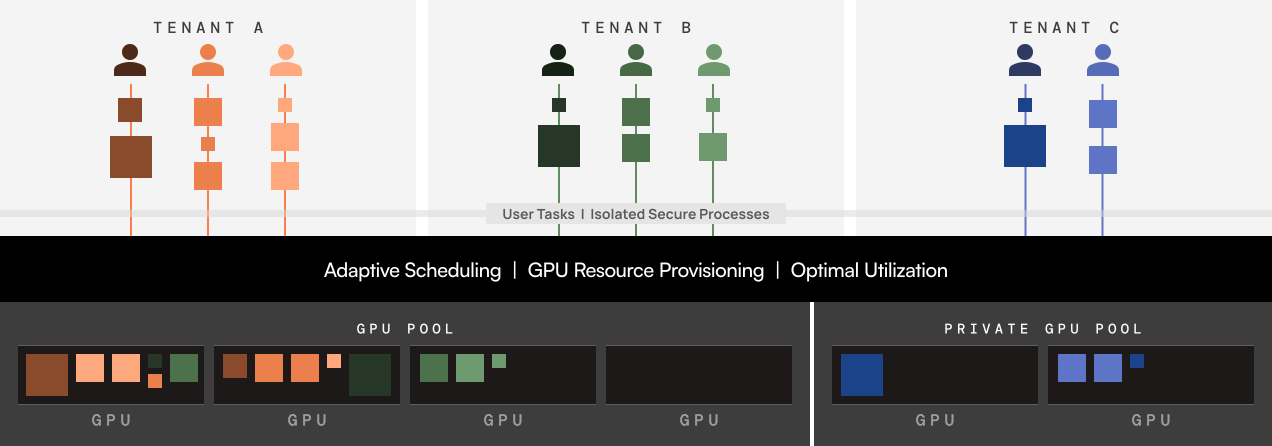
Each tenant can have its own team with multiple users, and each of those users can have their own quotas and access rights. Each user sees their own GPU device, can run the full CUDA tool stack, can run NVIDIA SMI and access the full capacity of each card. It’s fully software-defined GPU – you can read more about that in this software-defined GPU whitepaper.
Multi-tenant GPU task scheduling options
Ok, so how are all of these tenants and user tasks given access to the GPU resources they need, the GPU cycles, the VRAM and TFLOPs?
That’s the job of the task scheduler. It is an extremely efficient system that provides workloads with access to GPU resources.
The type of access is controlled by a range of settings the provider can configure for each GPU pool.
Using a few intuitive sliders, you can configure shared resources for optimal performance, security, or a blend of both.
By configuring different pool settings you can create GPUaaS for a wide range of customer use cases.
1. GPU pool sharing ratio
This is where you can choose how much overcommit/oversubscription you allow for the GPU pool. Another way of thinking about it, is how many virtual GPUs can be created from each physical card in the pool.
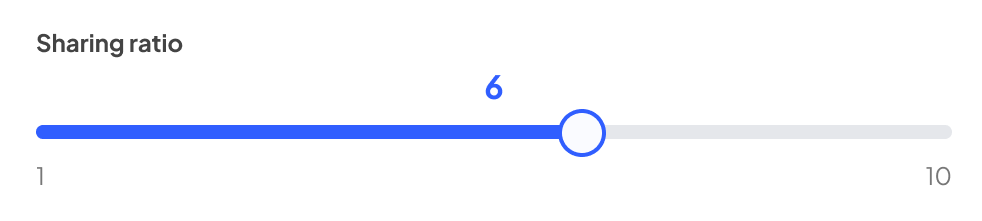
With a sharing ratio of one, it’s a one-to-one mapping: you can share the resources of the pool once – i.e. provision the resources of the pool one time, to one team. You can also set this from 2 to 10, allowing oversubscription of the GPUs in the pool between 2 and 10 times – so with 4 GPUs in a pool, and a sharing ratio of 4, you’re actually presenting 16 virtual GPUs to your users.
As with any infrastructure as a service scenario, oversubscription (overselling) makes use of idle capacity to serve additional customers. It’s the basis of efficient and profitable service delivery.
Why would you need a sharing ratio of one?
At first glance you might think this is a redundant option. However, it’s very different from just providing one card per user (the passthrough model) because you’re actually sharing the entire pool of GPUs with a team of users.
There is more flexibility, because the team can have varying levels of access to multi-GPU resources. There is more scalability, because the pool can be expanded by adding more GPUs; and there is more redundancy, because if a GPU fails, the rest of the pool is still available.
2. GPU pool optimization
This slider controls how the scheduler allocates the resources of the GPU pool to workloads, to prefer performance, security, or a blend of both.
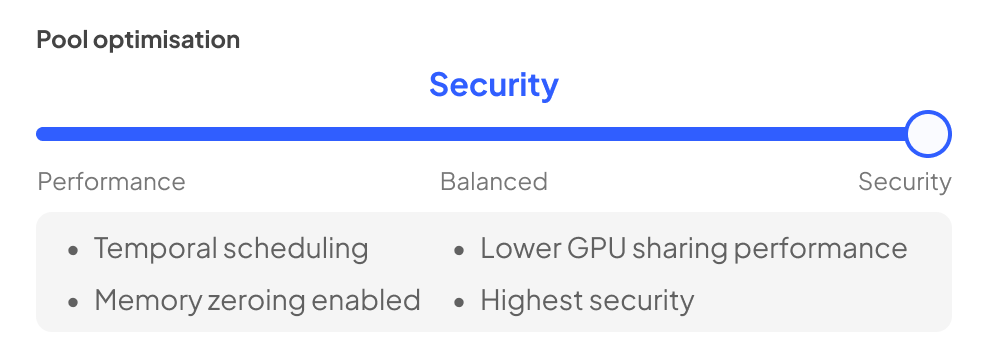
Security: using temporal scheduling, hosted·ai swaps user tasks in and out of the GPU. It’s a little like time-slicing, except for a crucial difference: each task has full isolated access to the GPU during its allocated time. The scheduler context-switches tasks extremely rapidly; at no time do user tasks co-exist in the GPU.
Performance: using spatial scheduling, hosted·ai fits user tasks into the GPU resources available to maximize utilization. User tasks co-exist on the GPU. This is a little like MIG, but the resource allocation is dynamic and scales to the requirement of the workloads. Because there is no task-switching this improves performance, which can benefit latency-sensitive inference workloads.
Balanced: this uses temporal scheduling but relaxes the context-switching. It’s more secure than performance mode, and more performant than security mode.
3. GPU pool time quantum
For performance and balanced pool settings (i.e. temporal scheduling) this setting controls the time a task has access to the full resources of a GPU.
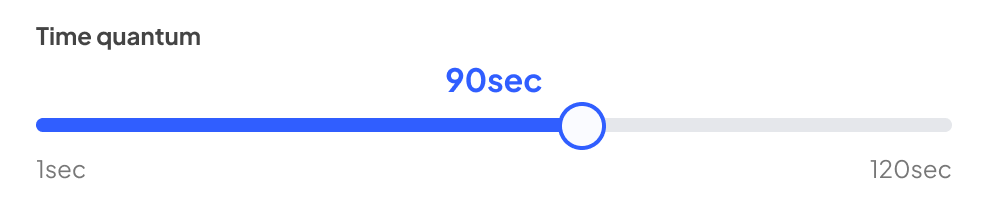
The scheduler takes this into account for user workloads accessing the pool, and adjusts their access accordingly: lower settings equate to lower latency.
Future scheduler enhancements
As more enterprises adopt AI, especially inferencing, and as more Neoclouds, CSPs and Telcos build multi-tenant GPUaaS to serve this market, we’re adapting our scheduler to cater for this fast-evolving landscape.
Coming next is a new credit-based scheduling system that provides a kind of automatic balancing of mixed inference/training workloads, and we’ll be sharing more details soon.
Multi-tenant GPU FAQs
True multi-tenant GPU is a new approach and you’ll certainly have questions. If you’d like to know more about how this works, why not get in touch for a discussion and a demo?
In the meantime, here are some FAQs…
What happens when we run out of VRAM?
If you know how multi-tenant virtualization works, you’ll obviously be asking this question. RAM is always a limiting factor in the number of tenants possible on a given piece of hardware, and GPU VRAM is no different. There are two answers here.
First, the hosted·ai scheduler makes optimal use of the resources available – fitting workloads into available VRAM with spatial scheduling, to maximize utilization, or simply allowing multiple workloads to have full access to GPU VRAM, with temporal scheduling. That’s obviously more efficient than just assigning an entire card to a user regardless of how much of the VRAM they actually need or consume.
Secondly, we use system RAM for workloads if there is insufficient VRAM available. System RAM is not as fast as high-end VRAM but it provides a robust way to handle this scenario. It may increase the system RAM requirement for GPU nodes, resulting in a slight increase in server cost, but compared to the cost of a single GPU the system RAM cost is somewhat irrelevant.
What happens to context-switched tasks?
System RAM is also used when tasks are switched out of a GPU in pools configured for temporal scheduling (maximum security or balanced optimizations).
What about the performance overhead?
It’s virtualization, so of course there is a small hit to performance. If you want to provide customers with 100% “ownership” of a single GPU, you can do that with hosted·ai, but for the vast majority of use cases the huge increase in flexibility offered by software-defined GPU prefers the multi-tenant approach:
In performance mode, tasks are running in parallel – so for inferencing, with periodic queries, tasks won’t see any disruption to performance as long as they are consuming GPU within the bounds they are allocated.
In security mode, tasks are switched in and out of the GPU. Context-switching is opportunistic, and the hosted·ai scheduler uses an extremely fast detection algorithm to control that switching, with the time quantum setting providing additional control. There is a trade-off between security and performance, as always, but with modern server architectures it is not “slow”.
Balanced mode provides a mix of the two, of course, and is often the preferred scheduling method – but this is something for service providers to decide when testing the platform and working with their own customers. What we provide you in the hosted·ai platform is the choice and the ability to control it.